
Project Planner Spreadsheet
Project Planner Spreadsheet with an automatic Gantt chart – plan every task, see your whole timeline and keep your project on track. Type your tasks once and the…
- Instant download after checkout
- Secure checkout on Etsy
- Print at home or use digitally
Project Planner Spreadsheet with an automatic Gantt chart – plan every task, see your whole timeline and keep your project on track. Type your tasks once and the planner does the rest: end dates on working days, task dependencies, a 52-week Gantt chart, a Kanban board, a priority matrix, team workload and a dashboard. Light and dark versions included.
✦ WHAT'S INCLUDED – SPREADSHEET (11 tabs, light + dark version)
• Start Here – how to use it + your project at a glance
• Settings – project name and start date, working week (Mon to Fri or every day), team members, phases and days off
• Tasks – 100 task rows: phase, owner, priority, status, % done, start date or 'after task #' dependency, work days; end date, days left and a flag (Overdue, Due soon, On track) fill in by themselves
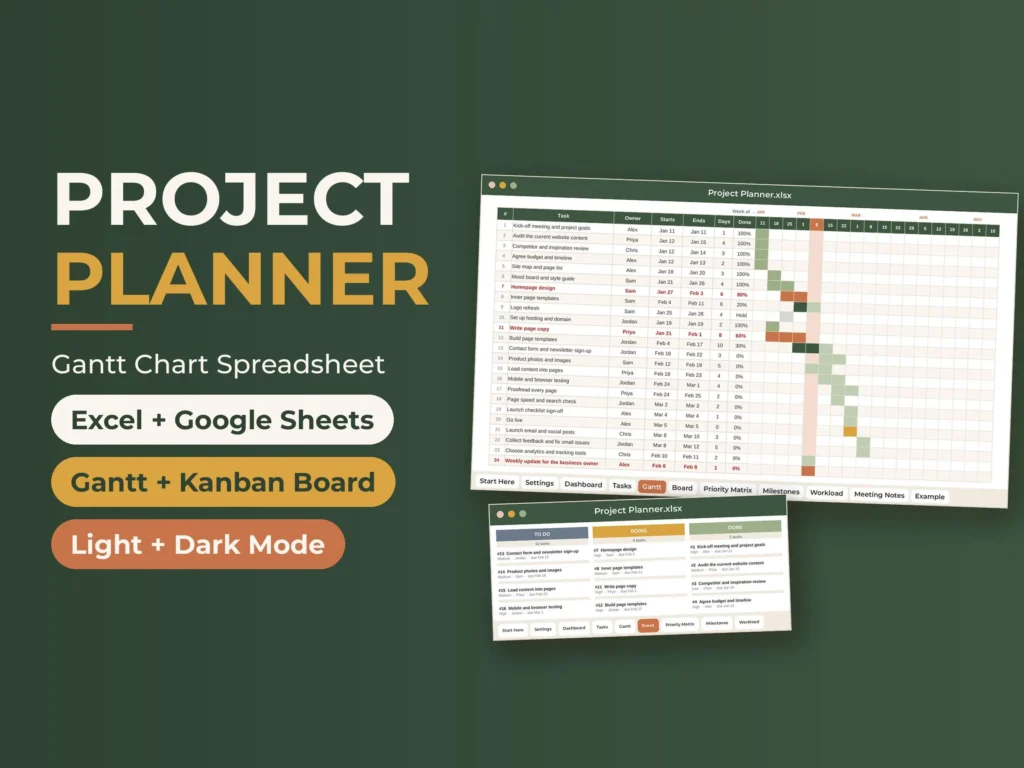
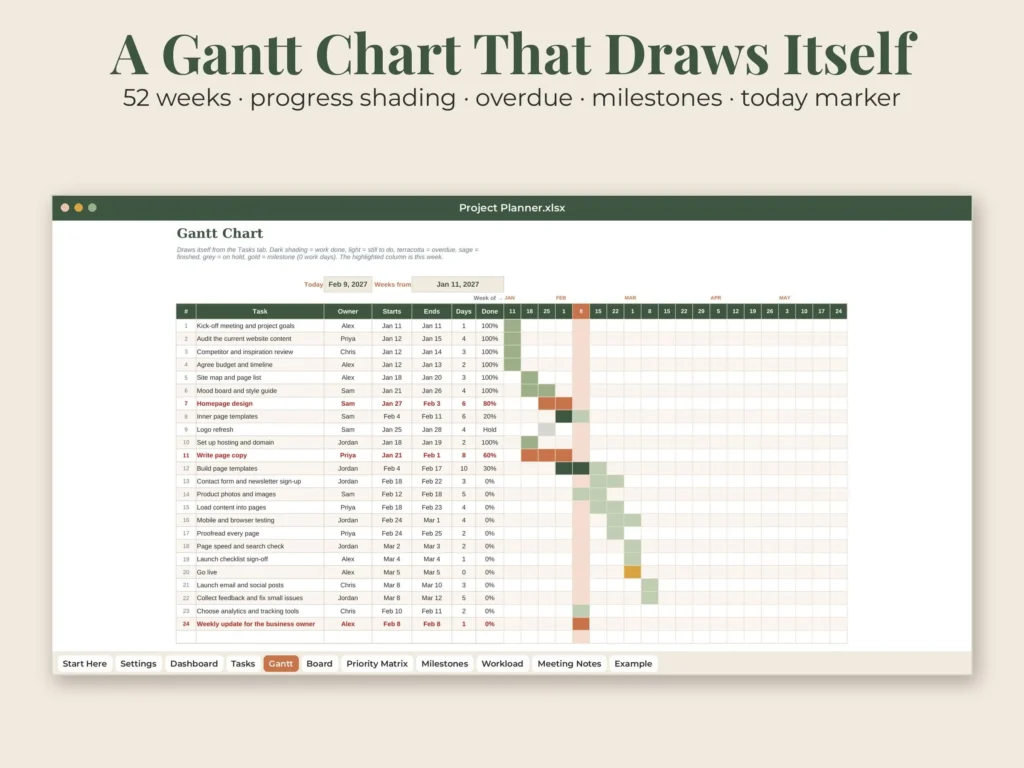
• Gantt – a 52-week chart drawn by conditional formatting: progress shading, overdue, on hold, milestones and a today marker
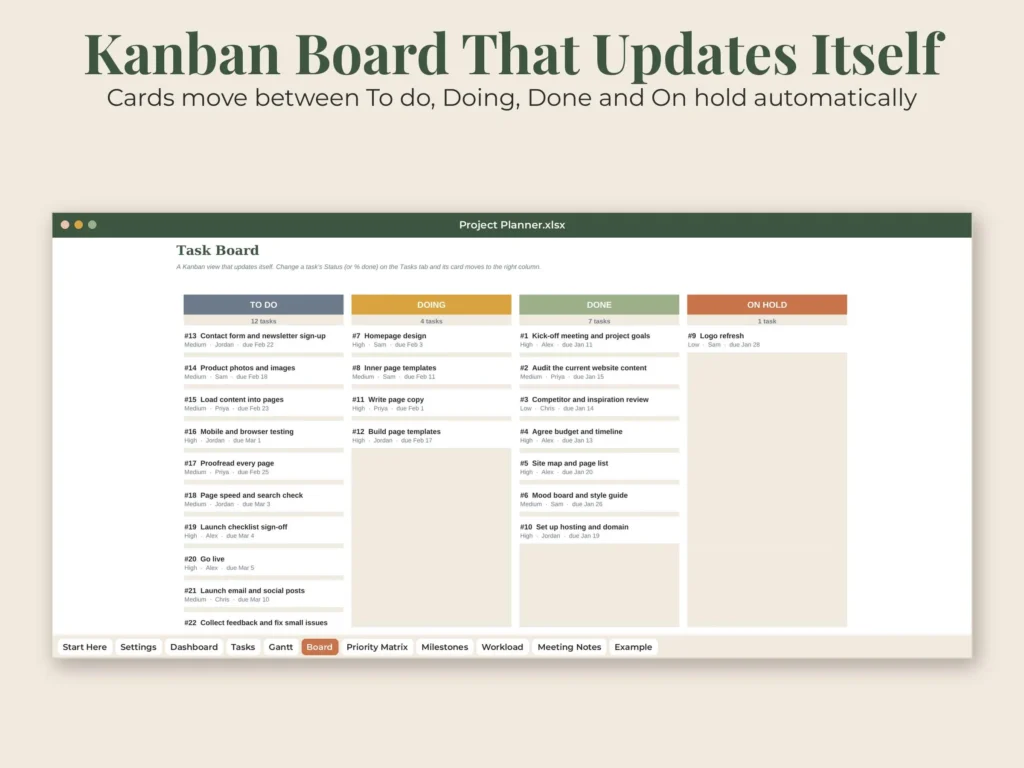
• Board – a Kanban view (To do / Doing / Done / On hold) built from formulas – cards move by themselves
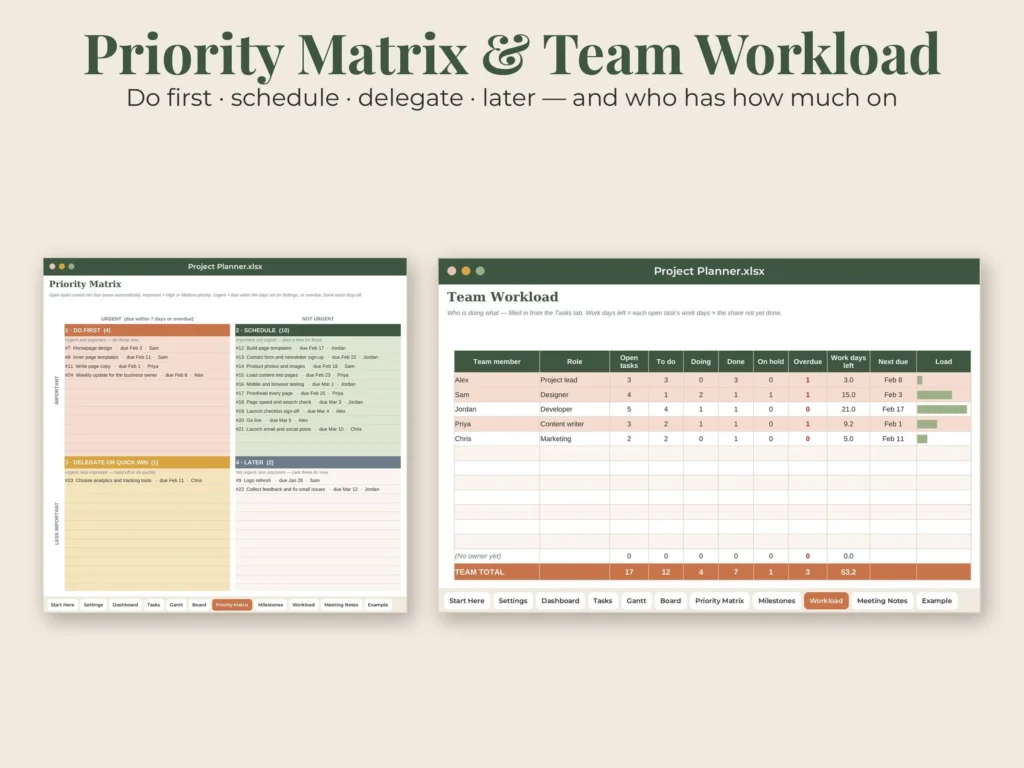
• Priority Matrix – open tasks sorted into Do first, Schedule, Delegate and Later (Eisenhower method)
• Milestones – key dates with Reached, Coming up, Planned or Missed status
• Workload – tasks, overdue and work days left per person, a 12-week heat map and chart
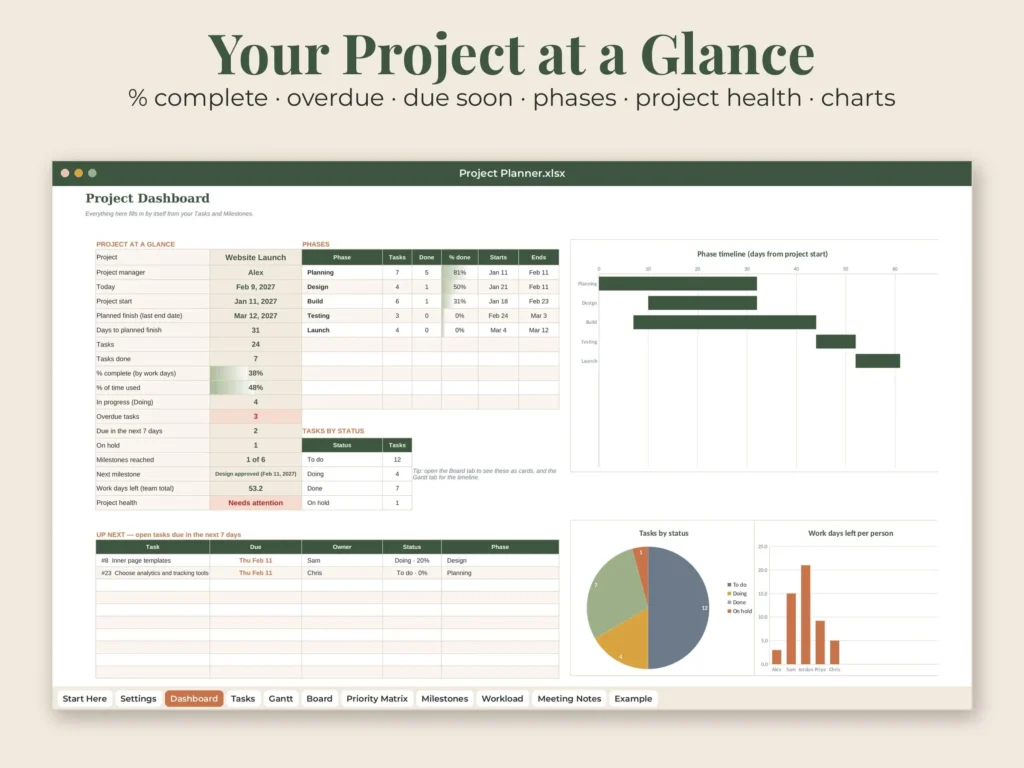
• Dashboard – % complete, % of time used, overdue, due in the next 7 days, next milestone, project health, phase table, up-next and overdue lists and 3 charts
• Meeting Notes – decisions and action items with owners and due dates
• Example – a filled-in website launch project with its own mini Gantt chart
✦ WHAT'S INCLUDED – QUICK-START GUIDE (PDF, 8 pages)
• Opening the file in Google Sheets or Excel, step by step
• Your first 10 minutes
• A tour of every tab
• Tips & answers + a 15-minute weekly project check-in
✦ GREAT FOR
• Small business and client projects
• Website launches, events, product launches and home projects
• Team leads, freelancers and students with group projects
• Anyone who wants a Gantt chart without project software
✦ FORMAT
• 2 XLSX spreadsheets (light and dark version) for Microsoft Excel and Google Sheets (free)
• Quick-start guide PDF (US Letter)
• Digital download – no physical item will be shipped
✦ HOW TO USE
1. Complete checkout
2. Go to You > Purchases and reviews on Etsy (or the link in your email)
3. Click Download Files. Upload the spreadsheet to Google Drive and open it with Google Sheets, or open it in Excel
✦ GOOD TO KNOW
• Works in Excel (desktop, web and mobile) and Google Sheets – no macros, no add-ins
• Dark version for on-screen use, light version for printing – both have the same tabs and formulas
• Personal use only; please do not share or resell the files
• Because this is a digital item, returns are not accepted – but if anything is wrong with your file, message us and we will fix it quickly
✦ ABOUT THIS DESIGN
Original design by Pagevine Studio, created with digital design tools (including AI assistance) and checked page by page before listing.
✦ MORE FROM PAGEVINE STUDIO
See more spreadsheets, planners and templates in our shop: https://www.etsy.com/shop/PagevineStudio
How your download works
Check out on Etsy, then open You › Purchases and reviews to download right away (Etsy also emails you a link). Unzip if needed, then print, import to GoodNotes, or open in the app named in the listing. Full guide.
License & use
For personal use unless the listing says commercial use. Please don't share or resell the files. Colors can vary a little between screens and printers.
Need help?
If anything is wrong with a file, message us with your Etsy order number and we'll fix it quickly.