Net Worth Tracker Spreadsheet
Net Worth Tracker Spreadsheet – see what you own, what you owe and how far you've come, month after month. Type your balances once a month and the…
- Instant download after checkout
- Secure checkout on Etsy
- Print at home or use digitally
Net Worth Tracker Spreadsheet – see what you own, what you owe and how far you've come, month after month. Type your balances once a month and the tracker does the rest: net worth, monthly change, progress to your goal, milestones and charts, for 36 months from any start month (January 2027 is set).
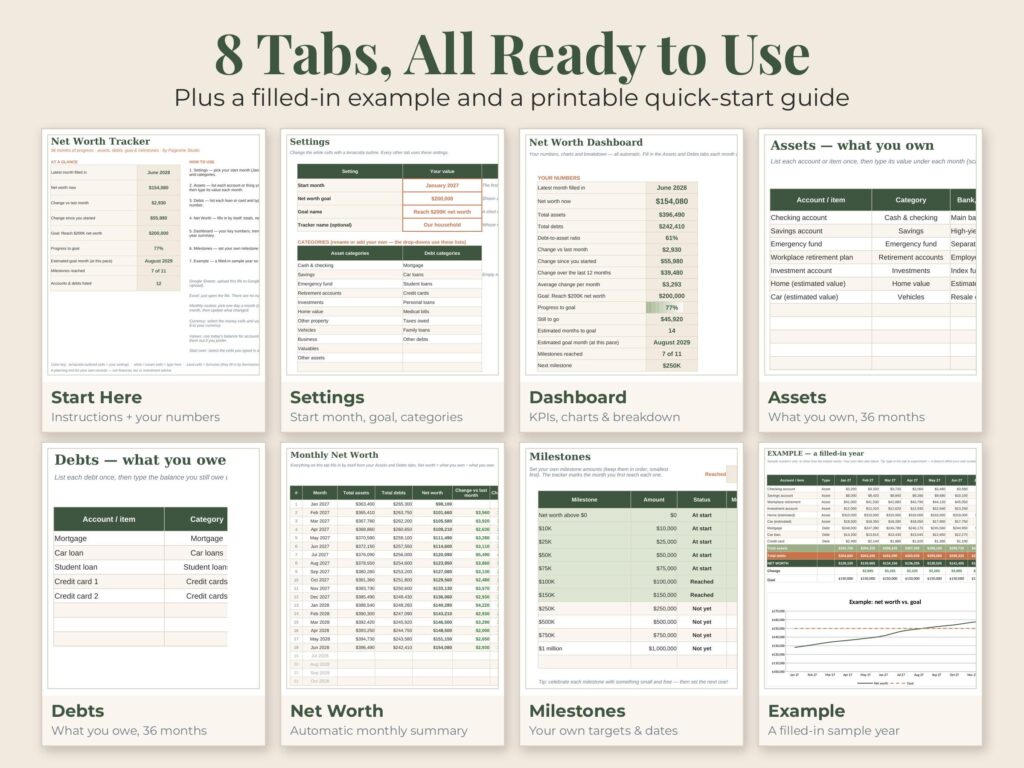
✦ WHAT'S INCLUDED – SPREADSHEET (8 tabs)
• Start Here – how to use it + your key numbers at a glance
• Settings – start month, net worth goal and your own asset & debt categories
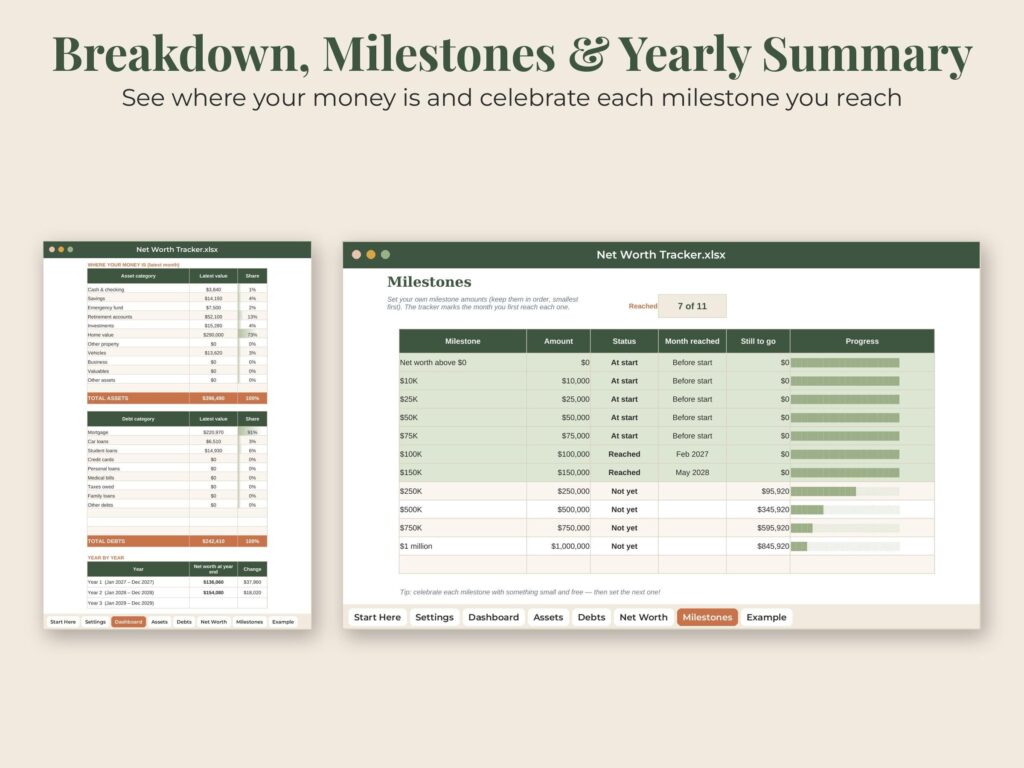
• Dashboard – net worth now, change vs last month and since you started, change over 12 months, average monthly change, progress to goal, estimated goal month, trend chart with goal line, assets vs debts chart, breakdown by category and a year-by-year summary
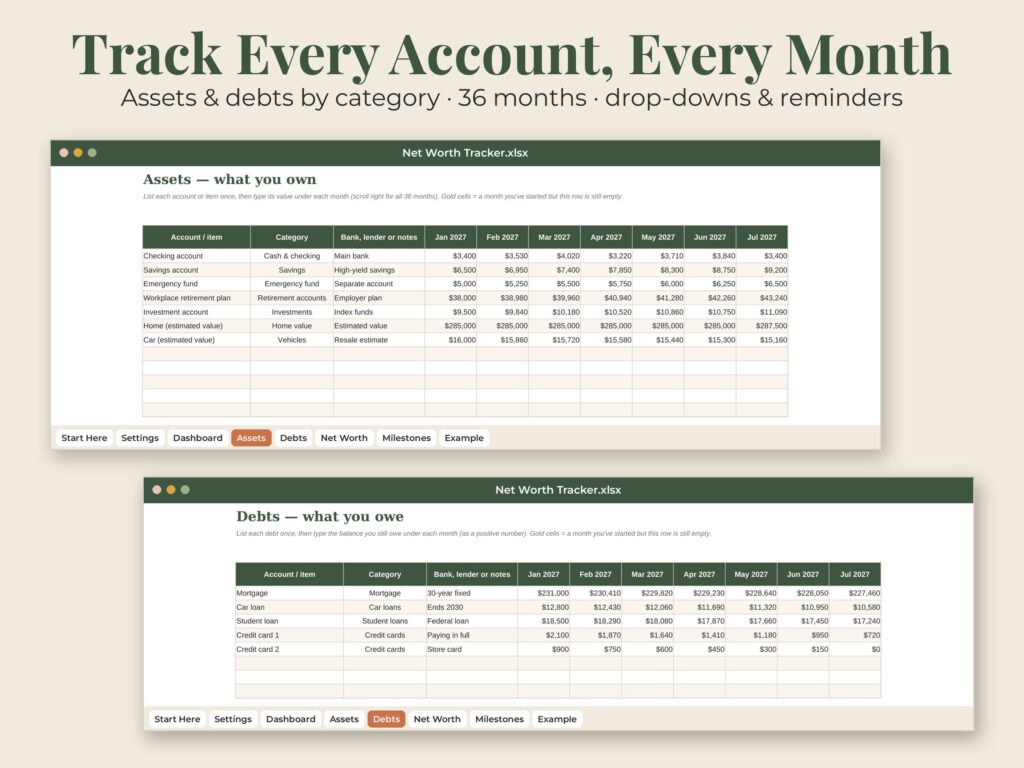
• Assets – up to 30 accounts or items × 36 months, category drop-downs and gold reminders for balances you haven't updated
• Debts – up to 30 loans and cards × 36 months
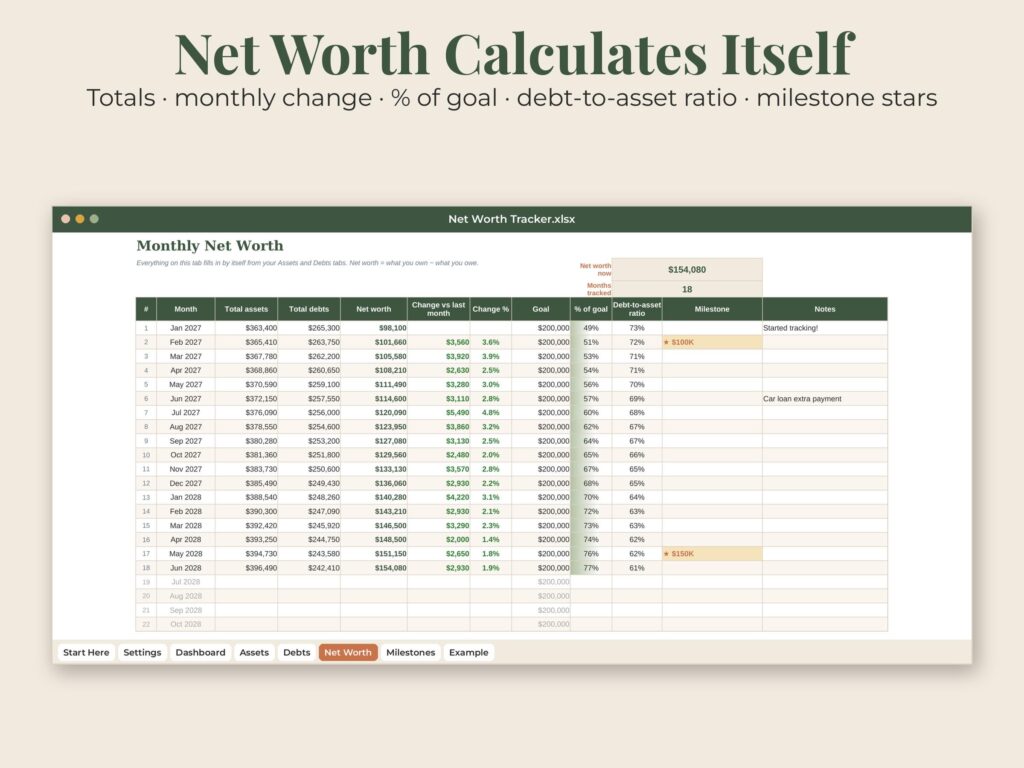
• Net Worth – automatic monthly totals, net worth, change, % of goal, debt-to-asset ratio and a ★ when you pass a milestone
• Milestones – set your own targets ($10K, $50K, $100K…) and see the month you reach each one
• Example – a filled-in sample year with its own chart
✦ WHAT'S INCLUDED – QUICK-START GUIDE (PDF, 6 pages)
• Opening the file in Google Sheets or Excel, step by step
• Your first 10 minutes
• A tour of every tab
• Tips & answers + a 10-minute monthly money check-in
✦ GREAT FOR
• Watching your net worth grow while you pay off debt and save
• Couples and families tracking shared finances
• A once-a-month money date
• Anyone working toward a savings or wealth goal
✦ FORMAT
• XLSX spreadsheet for Microsoft Excel and Google Sheets (free)
• Quick-start guide PDF (US Letter)
• Digital download – no physical item will be shipped
✦ HOW TO USE
1. Complete checkout
2. Go to You > Purchases and reviews on Etsy (or the link in your email)
3. Click Download Files. Upload the spreadsheet to Google Drive and open it with Google Sheets, or open it in Excel
✦ GOOD TO KNOW
• Works in Excel (desktop, web and mobile) and Google Sheets – no macros, no add-ins
• Money cells use $ – switch to your own currency in a click (Format > Number)
• This is a record-keeping and planning tool, not financial or investment advice
• Personal use only; please do not share or resell the files
• Because this is a digital item, returns are not accepted – but if anything is wrong with your file, message us and we will fix it quickly
✦ ABOUT THIS DESIGN
Original design by Pagevine Studio, created with digital design tools (including AI assistance) and checked page by page before listing.
✦ MORE FROM PAGEVINE STUDIO
See more budget spreadsheets, planners and templates in our shop: https://www.etsy.com/shop/PagevineStudio
How your download works
Check out on Etsy, then open You › Purchases and reviews to download right away (Etsy also emails you a link). Unzip if needed, then print, import to GoodNotes, or open in the app named in the listing. Full guide.
License & use
For personal use unless the listing says commercial use. Please don't share or resell the files. Colors can vary a little between screens and printers.
Need help?
If anything is wrong with a file, message us with your Etsy order number and we'll fix it quickly.