



Wedding Seating Chart Template
Wedding Seating Chart Template – an elegant, fully editable "Find Your Seat" sign in 3 matching styles, 4 layouts and 3 poster sizes, plus matching table cards and…
- Instant download after checkout
- Secure checkout on Etsy
- Print at home or use digitally
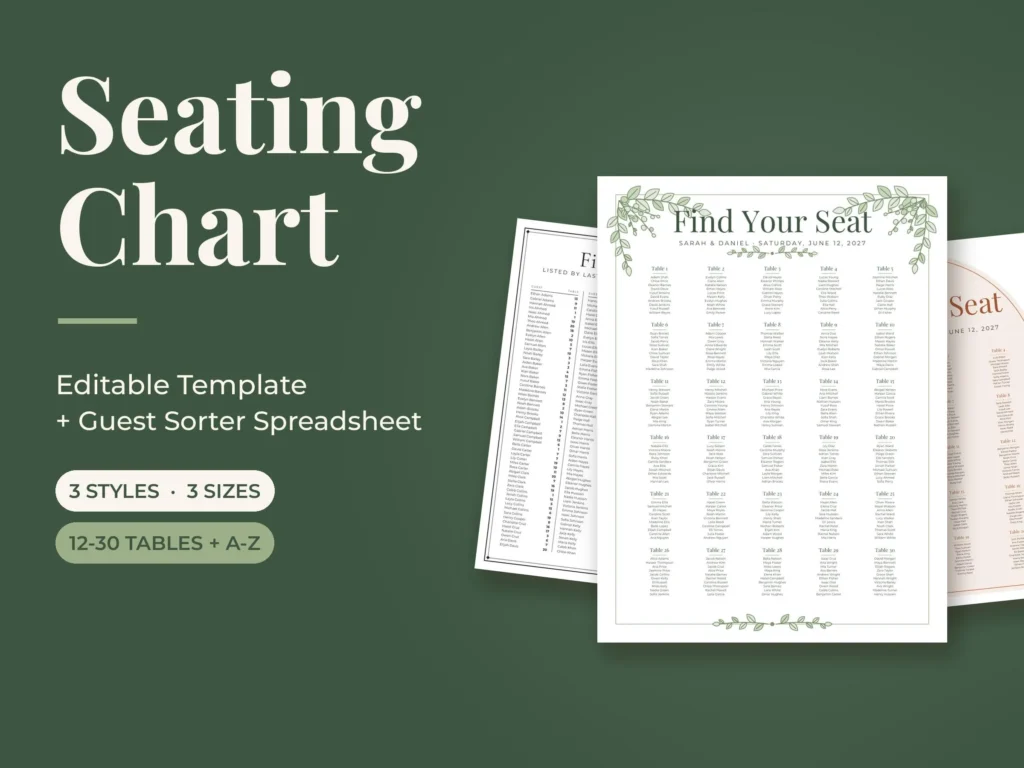
Wedding Seating Chart Template – an elegant, fully editable "Find Your Seat" sign in 3 matching styles, 4 layouts and 3 poster sizes, plus matching table cards and a Guest Sorter spreadsheet that sorts your guests by table and builds your alphabetical list for you.
✦ WHAT'S INCLUDED
• 36 editable seating chart posters: 3 styles x 4 layouts x 3 sizes
• 3 styles: Sage Botanical (line-art greenery), Classic Minimal (charcoal double frame), Terracotta Arch (boho arch)
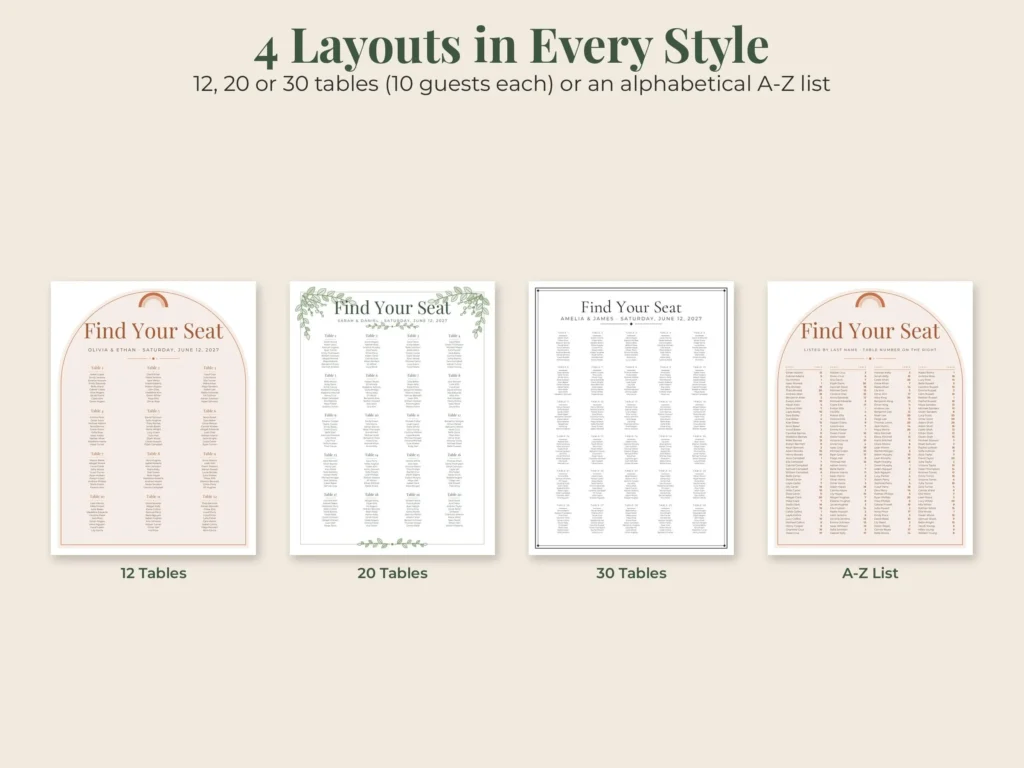
• 4 layouts: 12 tables, 20 tables, 30 tables (10 guests each) and an alphabetical A–Z guest list
• Sizes: 18 x 24 in, 24 x 36 in and A1 (594 x 841 mm)
• 90 editable 5 x 7 in table cards with guest names (tables 1–30 in all 3 styles)
• Write-in table cards 1–40 + Head Table and Family Table – ready to print (US Letter and A4)
• Guest Sorter spreadsheet (.xlsx): type each guest once – get every table's guest list, an A–Z list sorted by last or first name, seat counts and an over-capacity check
• Print-ready PDF of all poster designs + a 2-page how-to-edit guide
✦ WHAT YOU CAN EDIT
• Title, your names and the date
• Every guest name and every table title (use table names instead of numbers if you like)
• Fonts, sizes and colors
• Add, move or delete tables; the decoration can be moved or removed
• Alphabetical columns: paste names and table numbers straight from the spreadsheet
✦ HOW TO EDIT
• PowerPoint: open the .pptx and click any text to type
• Google Slides (free): upload the .pptx to Google Drive > right-click > Open with > Google Slides
• Keynote (Mac): File > Open the .pptx
• Edit in Canva: Canva home > Upload > choose the .pptx – Canva turns it into an editable design
• Then download / export as PDF and print
✦ FORMAT
• Editable .pptx files in a .zip (18 x 24, 24 x 36, A1 and 5 x 7 in table cards)
• .xlsx Guest Sorter – works in Excel and free Google Sheets, no macros
• PDF posters + write-in table cards for US Letter and A4
• Print the poster at any print shop or online printer on matte poster paper or foam board
• Digital download – no physical item will be shipped
✦ HOW TO DOWNLOAD
1. Complete checkout
2. Go to You > Purchases and reviews on Etsy (or the link in your email)
3. Click Download Files, unzip the editable files, then edit and print
✦ GOOD TO KNOW
• Fonts are free Google Fonts (Playfair Display, Cormorant Garamond, Montserrat) – built into Google Slides, free to install for PowerPoint and Keynote (links in the guide)
• Colors may vary slightly between screens and printers
• Personal use only; please do not share or resell the files
• Because this is a digital item, returns are not accepted – but if anything is wrong with your file, message us and we will fix it quickly
✦ ABOUT THIS DESIGN
Original design by Pagevine Studio, created with digital design tools (including AI assistance) and checked page by page before listing.
✦ MORE FROM PAGEVINE STUDIO
Find the matching wedding welcome sign, seating chart, table numbers and place cards (Pagevine Wedding Collection) in our shop: https://www.etsy.com/shop/PagevineStudio
How your download works
Check out on Etsy, then open You › Purchases and reviews to download right away (Etsy also emails you a link). Unzip if needed, then print, import to GoodNotes, or open in the app named in the listing. Full guide.
License & use
For personal use unless the listing says commercial use. Please don't share or resell the files. Colors can vary a little between screens and printers.
Need help?
If anything is wrong with a file, message us with your Etsy order number and we'll fix it quickly.