 View details
Resume Templates for Word and Google Docs (US and Canada)
A resume template should save you time on layout so you can spend it on what matters: the wording. Every template on this page edits in Microsoft Word and Google Docs, not in a design app. You open the file, type over the sample text, and send a clean PDF the same evening.
Below you will find how to pick a template, what “ATS-friendly” really means, step-by-step editing for Word, Google Docs and Pages, and a few rules that apply to job seekers in the US and Canada.

Choosing the right template
| Template | What you get | Edit in | Good fit for |
|---|---|---|---|
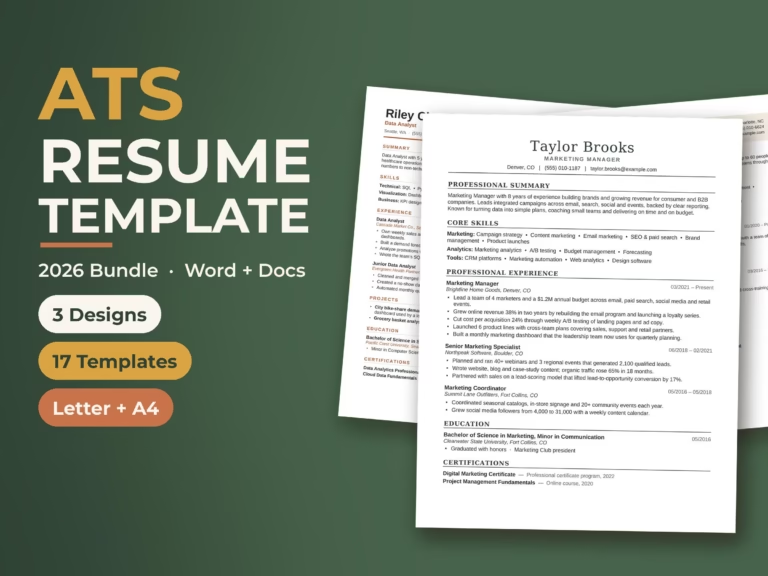
| Resume Template 2026 | 3 designs, each with a 1-page resume, 2-page resume, cover letter and references page, plus 5 extra cover letter styles and a 17-page guide. US Letter and A4 | Word, Google Docs, Pages | Most office, admin, sales and graduate roles |
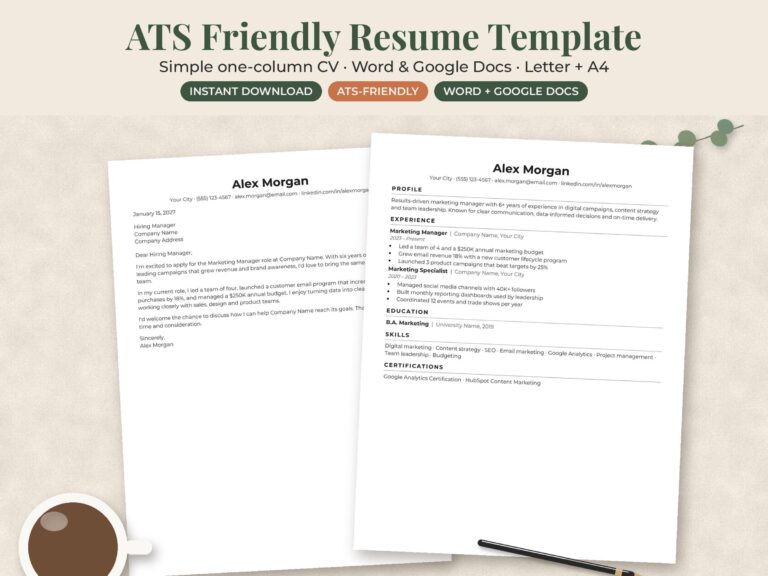
| ATS-Friendly Minimalist Resume | A simple, minimalist resume layout | Word, Google Docs | Online applications where plain formatting matters most |
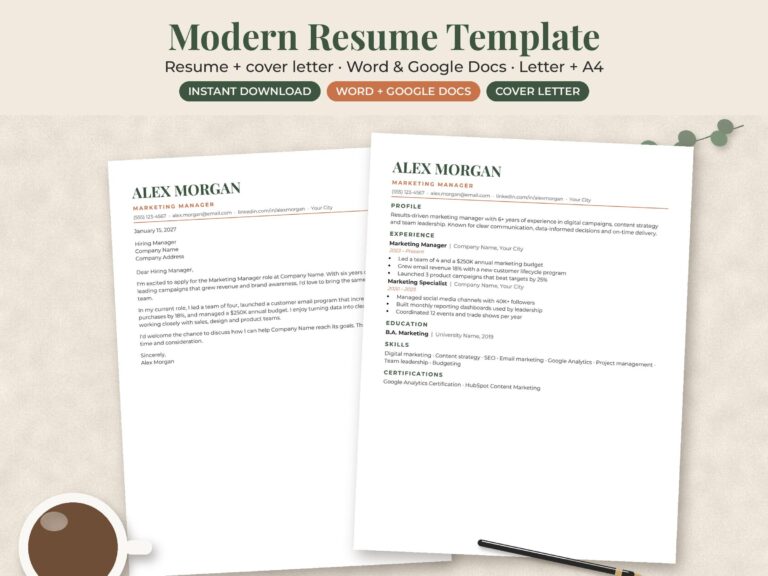
| Modern Resume and Cover Letter | A modern resume with a matching cover letter | Word, Google Docs | Applicants who want a coordinated set with a little more style |
| Nursing Resume Template | 2 designs with RN and new-grad resumes, a Clinical Rotations section, cover letters, references and an 18-page guide. US Letter and A4 | Word, Google Docs, Pages | Registered nurses and nursing graduates |
What “ATS-friendly” means in practice
Many employers run applications through an applicant tracking system (ATS), software that reads your resume and pulls out your details. It reads text, not design. A resume that looks great to a person can come out scrambled if the words sit inside images, text boxes or complex tables.
An ATS-friendly template avoids those traps. The Resume Template 2026 and Nursing Resume Template, for example, use real text, standard section headings such as “Experience” and “Education”, and no text boxes, images or photos. To keep your finished resume readable by software:
- Keep the section headings standard. “Work Experience” is read correctly. “Where I’ve Made an Impact” may not be.
- Do not put your name or contact details in the header area of Word. Keep them in the body of the page.
- Use the job ad’s own wording for skills where it is true for you, such as “accounts payable” rather than “handling invoices”.
- Send the file type the employer asks for. If they don’t say, a PDF keeps your layout fixed.
How to edit your template
Microsoft Word
- Unzip the download and open the .docx file for your paper size: US Letter for the US and Canada.
- If Word opens it in Protected View, click Enable Editing.
- Click into the sample text and type over it. Use the existing styles rather than changing fonts line by line, so spacing stays even.
- Save a copy as .docx, then go to File > Save As and choose PDF.
Google Docs
- Upload the .docx file to Google Drive.
- Right-click it and choose Open with > Google Docs.
- Edit, then check page breaks. Conversions can shift a line onto a second page.
- Download it with File > Download > PDF document.
Apple Pages
The Resume Template 2026 and Nursing Resume Template also open in Pages. Open the .docx in Pages, edit, then use File > Export To > PDF.
Those two templates use Arial and Georgia, which are already installed on Windows and Mac and built into Google Docs, so the layout should look the same on any computer.
Resume rules for the US and Canada
Resume habits in the two countries are close. The Government of Canada’s Job Bank resume guide sums up what Canadian employers expect, and most of it applies in the US too:
- No photo. It is not the norm in Canada or the US and can distract from your experience.
- Leave out personal details such as age, marital status and your Social Insurance Number (or, in the US, your Social Security number).
- Two pages at most. Focus on recent roles and trim jobs from more than 15 years ago.
- Bullets, not paragraphs. Aim for 5 to 7 points per role, starting with action verbs and adding numbers where you can.
- References on request. Keep a separate references page ready to send when asked. Both multi-design templates above include one.
One page or two?
If you are a student, a recent graduate or have under about ten years of relevant experience, one page usually tells the full story. Senior roles, nursing, teaching and technical jobs with certifications often need two. The larger templates come in both lengths, so you can start with one page and switch only if you run out of room. Don’t shrink the font below about 10 points to squeeze onto one page. A readable second page is better.
Resume or CV?
In the US and Canada, a resume is a short, targeted summary for a job application. In the UK the same document is called a CV, and it is normally printed on A4. The Resume Template 2026 and Nursing Resume Template include A4 files, so they also work for UK applications. In US academic hiring, “CV” means a longer record of research and publications, which is a different document.
Before you hit send
- Name the file clearly, such as Firstname-Lastname-Resume.pdf.
- Read it aloud once. It catches the errors that spellcheck misses.
- Match your cover letter heading to your resume so they look like a set.
- Keep a master copy in Word, and save a tailored version for each application.
Running a job search alongside everything else? Block out application deadlines and interview dates on a 2027 year planner, so nothing slips.
Find your template
Pick the template that fits your field, edit it in Word or Google Docs, and send a polished PDF today. Every template is an instant download from our Etsy shop, and you can see more work-related downloads in the small business templates collection.